
WordSwap
Find & replace that actually sticks

Rewrite the web,
one rule at a time.

Chrome's Find just highlights words. WordSwap changes them — on every page you visit, automatically, with rules that stay put after a reload.

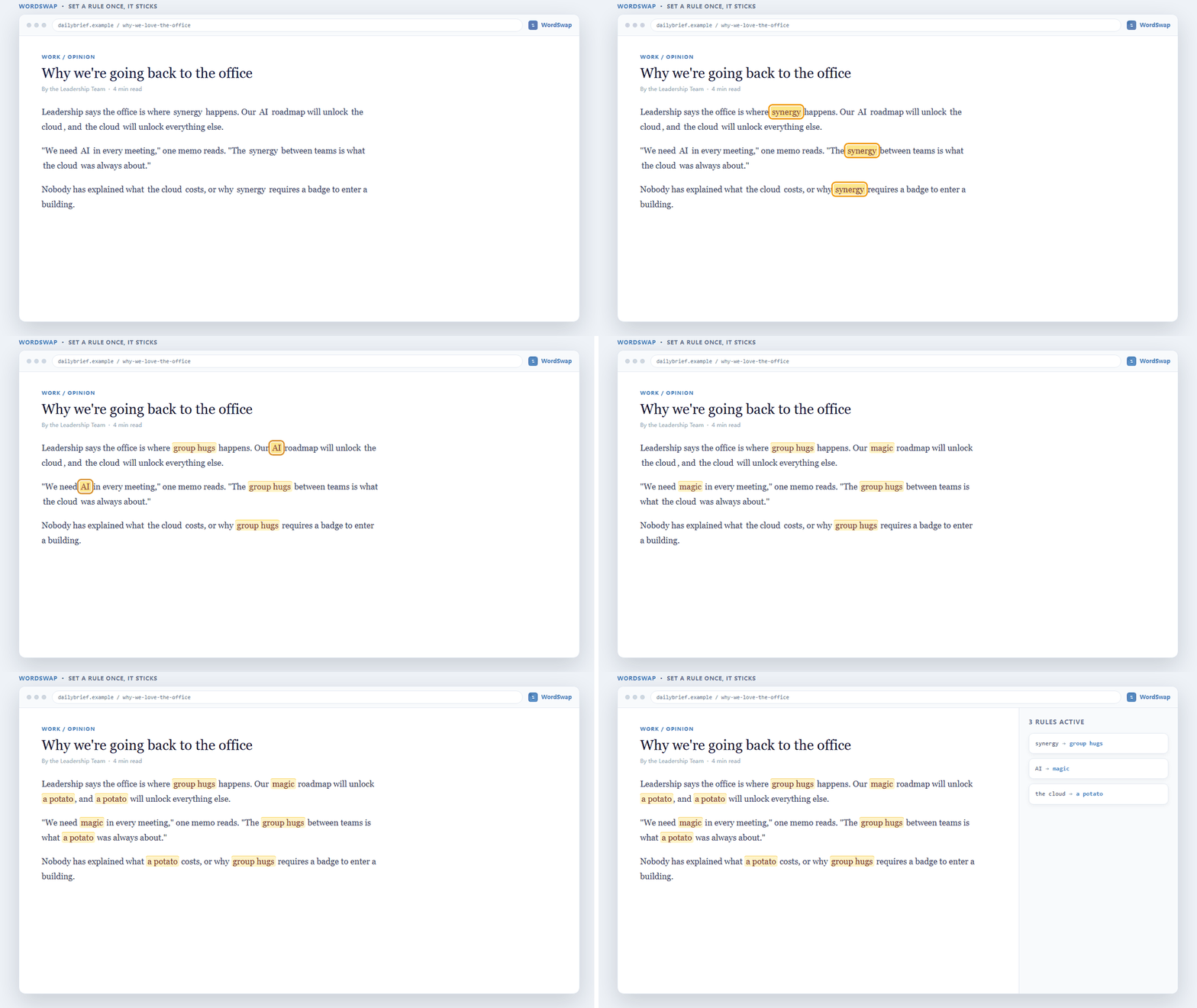
Add to Chrome — it's free → Get Pro Animated demo: synergy becomes group hugs, AI becomes magic, the cloud becomes a potato
How it works

1. Add a rule

Type what to find and what to swap it with. teh → the. That's the whole interface.

2. Browse normally

Rules re-apply on every page load and on new content, so they survive reloads and navigation.

3. Stay in control

Toggle a single rule or everything from the toolbar popup. Whole-word and match-case options keep AI out of said.

Free, forever

  • Up to 5 swap rules
  • Works on every website
  • Case-sensitive & whole-word matching
  • No account, no sign-up, no tracking

WordSwap Pro

$5.99 one-time
  • Unlimited rules
  • Regular expressions
  • Per-site rules — only here, or everywhere except there
  • Replace text as you type in input fields
  • Import & export your rules
Get the Pro license →

Private by design

Your rules live in your own browser. WordSwap has no servers, no analytics, no accounts and no data collection. The only network request the extension can make happens when you choose to paste a Pro license key, to confirm the purchase with Gumroad. Read the privacy policy →

Guides

How to find and replace text on any website permanently Why Chrome's Find isn't enough, and how persistent rules work. Renaming characters in fanfiction with a browser rule A practical setup for long fics and translated works. How to hide spoilers on any website Spoiler-free browsing without editing the page. Chrome extension that replaces words on every page What to look for, which permissions matter, and how to stay private.